-
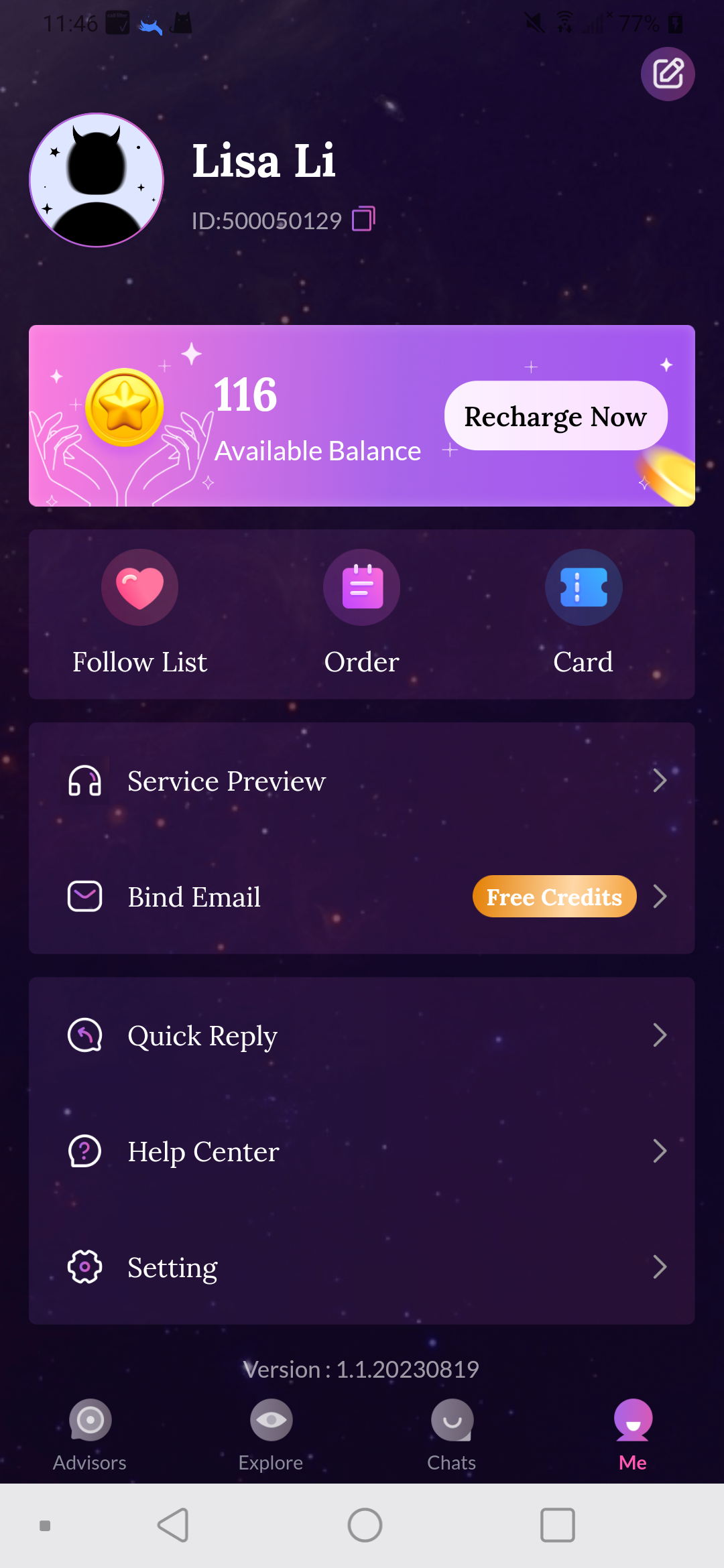
1.Find the settings button on me page
-
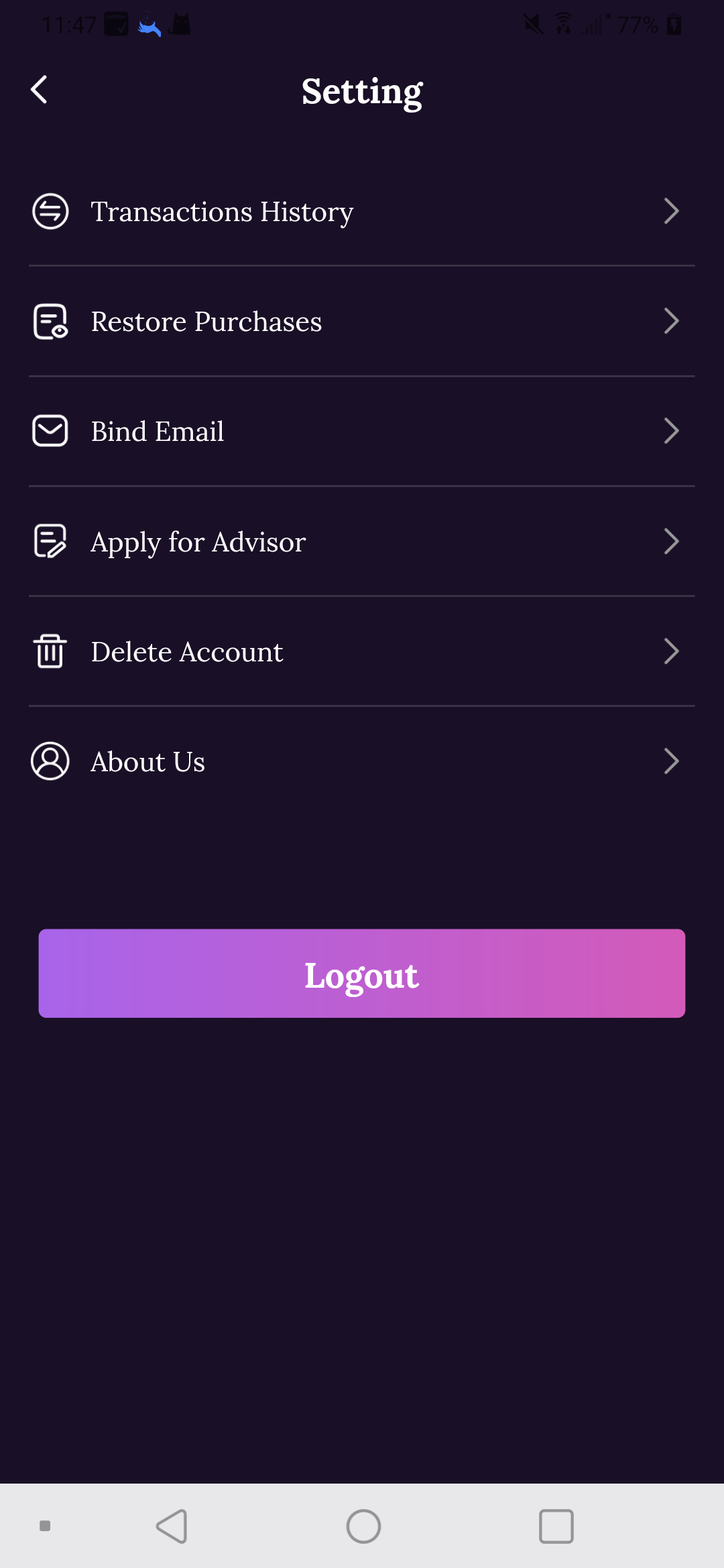
2.Enter the settings page and select Delete account button
-
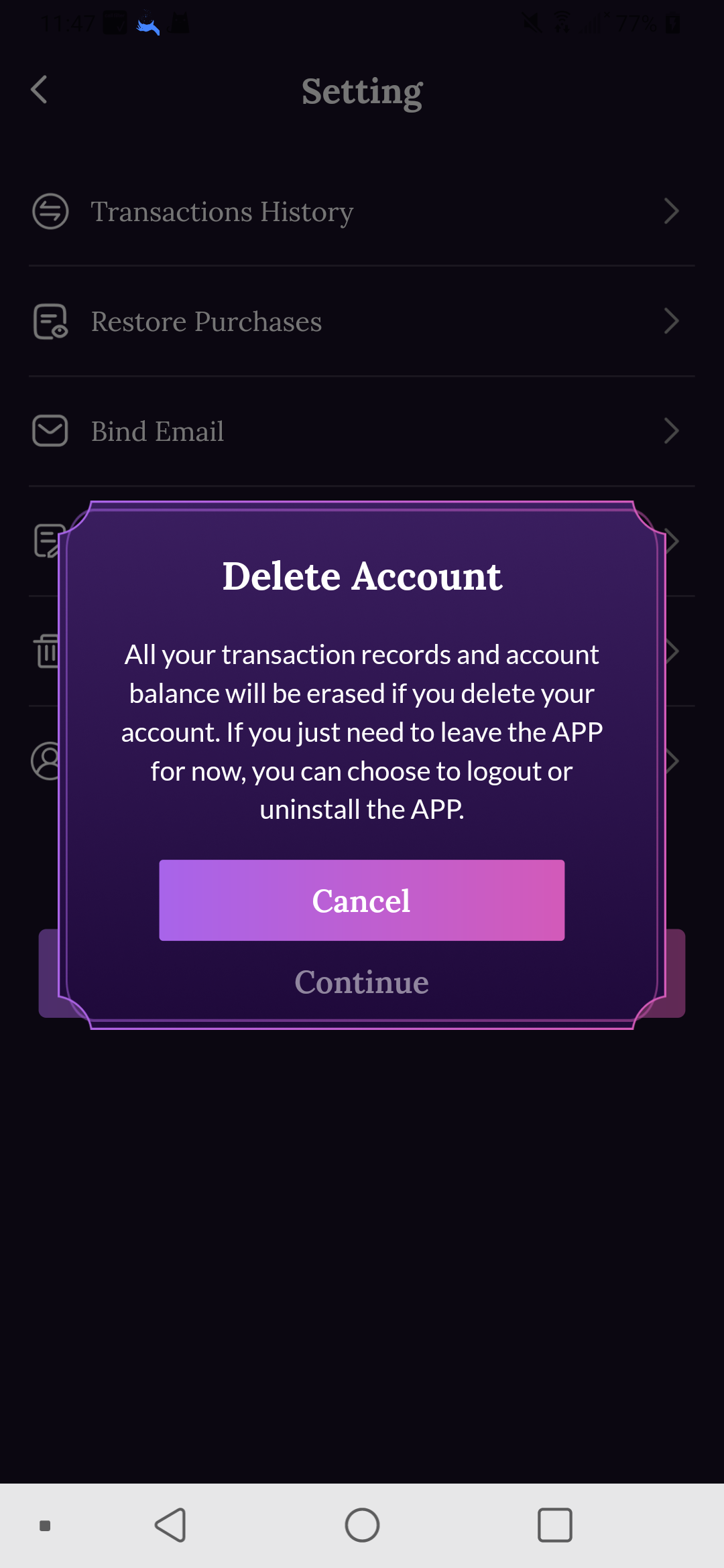
3.Confirm deletion of account data
-
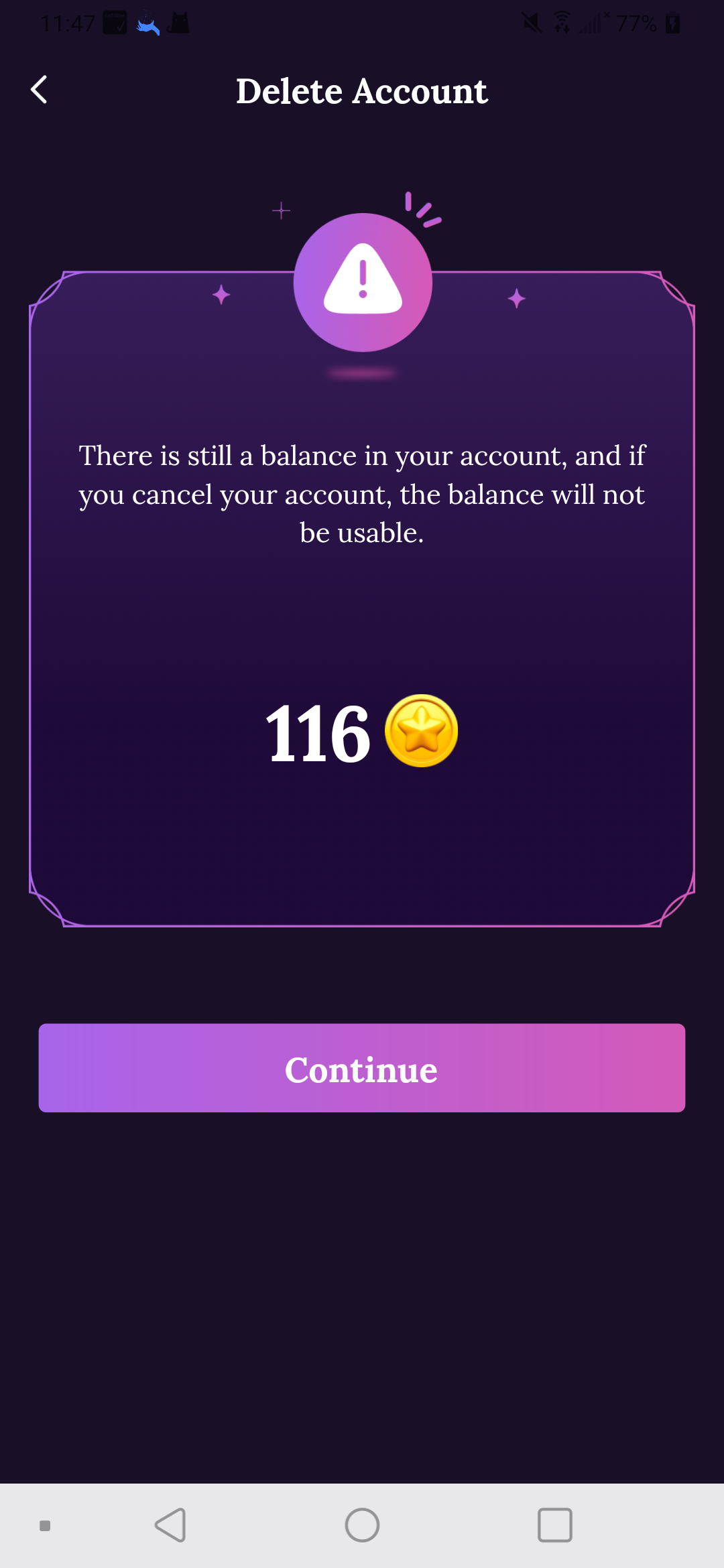
4.Please make sure to give up all digital assets in the account before deleting the account. Data cannot be recovered after the account is deleted.
-
5.Finally, before deleting account data, please give our official support staff some feedback so that we can better improve the product.
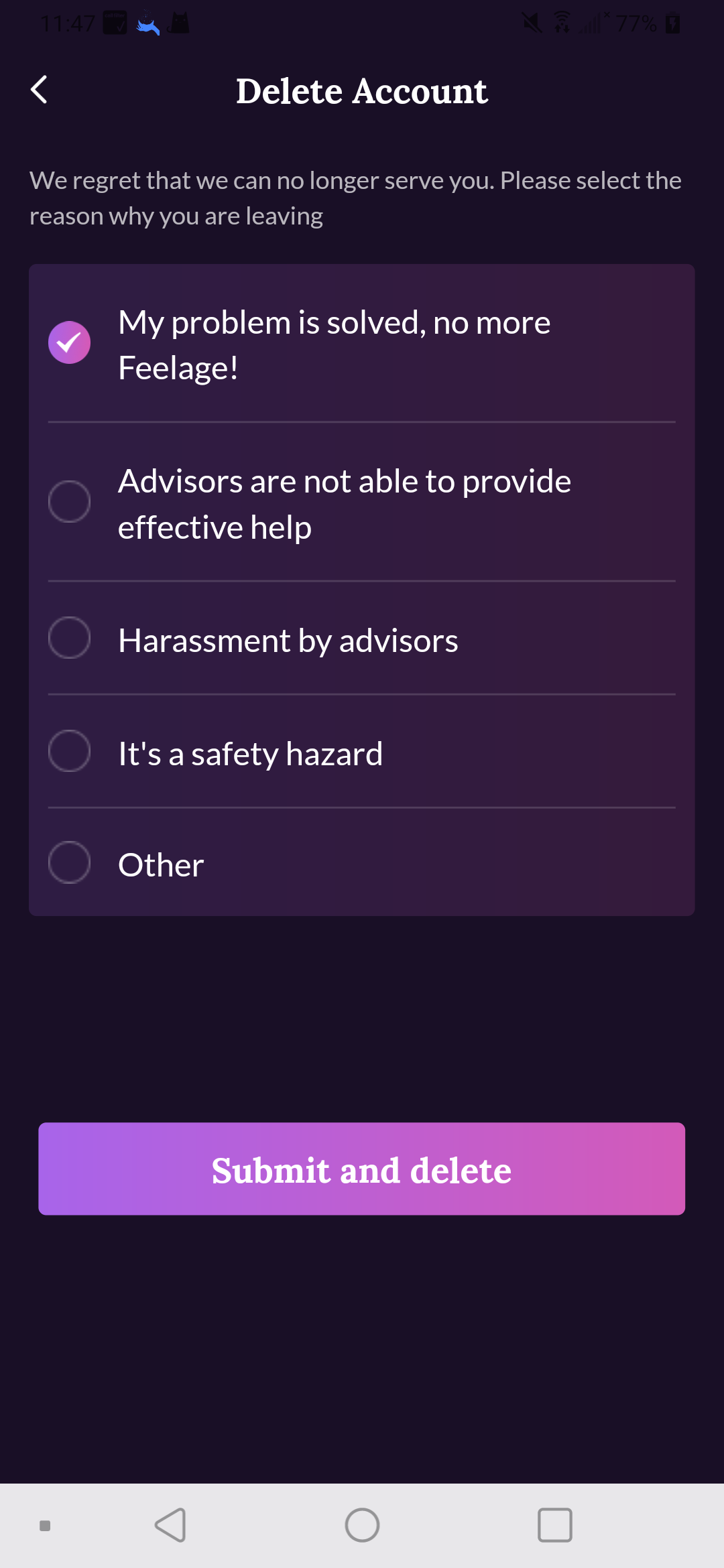
After all the above is completed, the account data is deleted successfully.